Hello, this is the Whosfan customer support team.
*Star Follow

1. You can see the stars you are following on the top, and you can go to the star’s channel when you click on the profile.
2. The stars without the ☆ mark are the stars recommended by Whosfan.
*How to follow a star
Star follow can be set up once you sign up, and you can change the star follow at a later time.
1. Follow when signing up
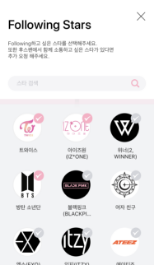
2. Follow on the home profile of the star’s channel

- Follow/Unfollow with the Follow + button
3. Change it on My Page
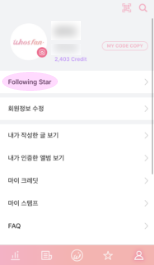
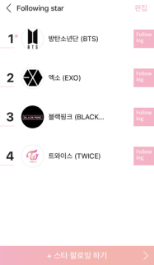
1. My Page > Following Stars
2. Add the following stars with + Follow Stars button
3. You can unfollow a star by tapping on the Follow button.
4. You can change the order of the artists with the Edit button.
* You can follow upto 5 stars.